Gaming smartphones in 2026 combine flagship chipsets, high-refresh displays, and advanced cooling to deliver console-like experiences in PUBG Mobile, COD Mobile, and Genshin Impact. Beginners should prioritize stable FPS above 90, 8+ hour battery life, and thermal systems that prevent frame drops during long sessions. This guide breaks down essentials step-by-step, helping you choose a phone that matches your playstyle without overwhelming jargon.
Understanding FPS: The Key to Smooth Gameplay
FPS (frames per second) measures how fluid games feel—60 FPS is playable, 120+ feels responsive for competitive titles like PUBG. Locked high FPS requires Snapdragon 8 Elite/Gen 3 chipsets with Adreno 830 GPUs, averaging 120 FPS Ultra HDR without dips. Check “1% lows” in reviews—above 100 means no stutters in firefights.
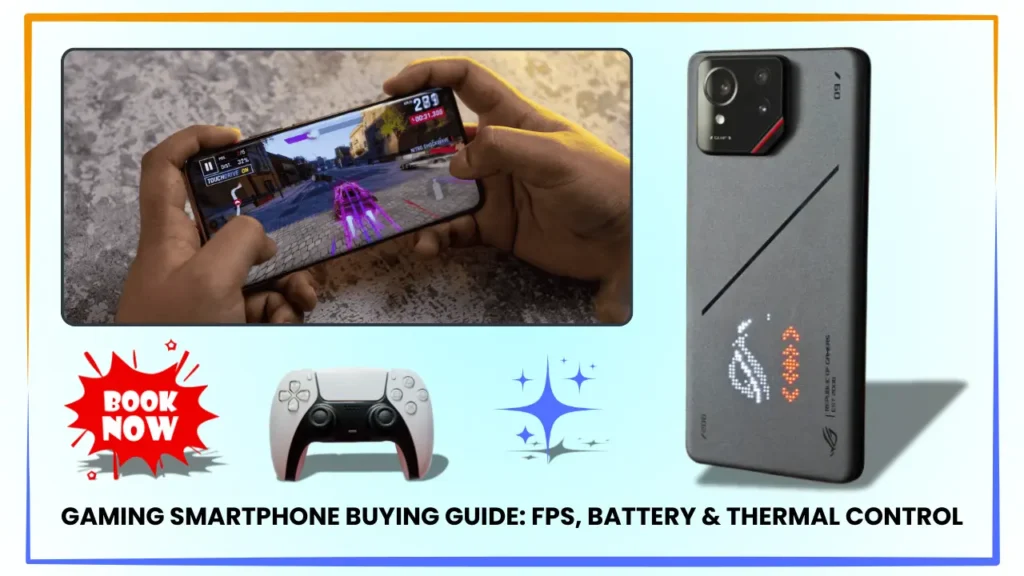
Gaming phones like ROG Phone 9 Pro lock 120 FPS via dedicated modes; flagships like OnePlus 15R hit 110 with GFX tweaks. Avoid under 90 FPS averages for 2026 titles.
Battery Life: Power for All-Day Grinding
Target 6000mAh+ batteries with 100W charging for 8-10 hours PUBG at max settings. Snapdragon 8 Elite’s efficiency yields 20% better endurance than older Gens, with bypass charging skipping the battery during plugged play to cut heat. Real tests: RedMagic 10 Pro lasts 9 hours CODM; iPhone 17 Pro Max 6 hours due to smaller cells.
Silicon-carbon anodes in 2026 models hit 20% higher density—prioritize UFS 4.0 storage for fast loads.
Thermal Control: Stop Throttling Before It Starts
Heat causes 30-50% FPS loss above 45°C; vapor chambers (VCs) and fans sustain peaks. ROG/RedMagic turbofans drop 25°C; graphite/VC hybrids in OnePlus cool passively to 42°C. Liquid metal paste adds 10°C headroom but needs warranty checks.
Test via HWMonitor apps: Under 43°C surface = excellent.
Essential Specs Checklist for Beginners
Budget under $500? POCO X7 Pro nails basics.
Top Recommendations by Budget and Playstyle
Under $500: Entry-Level Esports (POCO F7 Pro, iQOO Z9 Turbo)
Dimensity 9400+ hits 110 FPS PUBG with steel VC cooling. 120Hz 1.5K display + 5500mAh = 7 hours play. India hit at ₹35-40k on Flipkart—perfect for students.[user-information]
$500-800: Balanced Grinders (OnePlus 15R, Samsung S24 FE)
8 Gen 3 sustains 105 FPS Genshin; dual VC keeps 40°C. 120Hz LTPO (4500 nits) shines outdoors; 6260mAh lasts 8 hours mixed. ₹45-55k value kings.
$800+: Pro-Tier (ROG Phone 9 Pro, RedMagic 10 Pro)
Locked 120 FPS with AirTriggers/fans; 144Hz + 16GB RAM crushes emulation. 7000mAh for 9+ hours—esports ready at ₹65-80k.
iOS Alternative: iPhone 17 Pro Max for optimized 60 FPS Genshin, but caps refresh and lacks triggers.
Step-by-Step Buying Process
- List Games: PUBG/CODM need 120Hz+; Genshin favors big batteries.
- Set Budget: Factor India taxes (add 20% on imports).
- Filter Specs: Amazon/Flipkart by RAM, chipset, refresh rate.
- Read Benchmarks: YouTube tests for your titles (e.g., “POCO F7 PUBG 1hr”).
- Check Reviews: NotebookCheck for thermals; Reddit India for deals.
- Test In-Store: Run demo games, feel haptics/heat.
- Buy Smart: Sales like Big Billion Days save 15%; 2-year warranty essential.
Accessories: ₹2k fan clip boosts any phone 10 FPS; case with lens protection.
Common Beginner Pitfalls to Avoid
- Low RAM: Under 12GB stutters multitasking.
- 60Hz Screens: Choppy vs 120Hz—non-negotiable.
- No Cooling: Throttles kill marathons; skip basic flagships.
- Small Batteries: 5000mAh maxes 5 hours high settings.
- Overpaying: Gaming phones 90% as good as $1200 models for half price.
India tip: IP68 + dust filters for humid Jamshedpur summers.[user-information]
Pros/Cons: Gaming Phones vs Flagships
Dedicated Gaming Phones
- Pros: Triggers, fans, 144Hz, marathon batteries.
- Cons: Gamer aesthetic, weaker cameras.
Flagships (OnePlus/Samsung)
- Pros: Balanced daily drivers, bright displays.
- Cons: Passive cooling limits, no extras.
FAQs
What FPS should I target for smooth PUBG?
120 locked with 110+ 1% lows—no stutters in clutches.
Best battery for 8-hour sessions?
RedMagic 10 Pro (7050mAh)—9 hours maxed PUBG.
How to check thermal performance?
Run 30-min game; under 43°C surface = good. Fans prevent throttling.
Android or iPhone for gaming beginners?
Android for customization/triggers; iPhone for optimized indies like Genshin.
Under ₹40k recommendations?
POCO F7 Pro—110 FPS value beast with VC cooling.